In this digital era, people don't solely rely on word of mouth, they do their own online research. From grocery purchases to doctor recommendations, they Google everything. They check the doctor's expertise, experience, reviews, what services do the hospital or clinic provide, and much more. Hence, it is important to have a well designed Healthcare website, so your patients can easily navigate and find what they are exactly looking for, especially at the time they need your services the most.
Keep these following tips in mind when building your healthcare website:
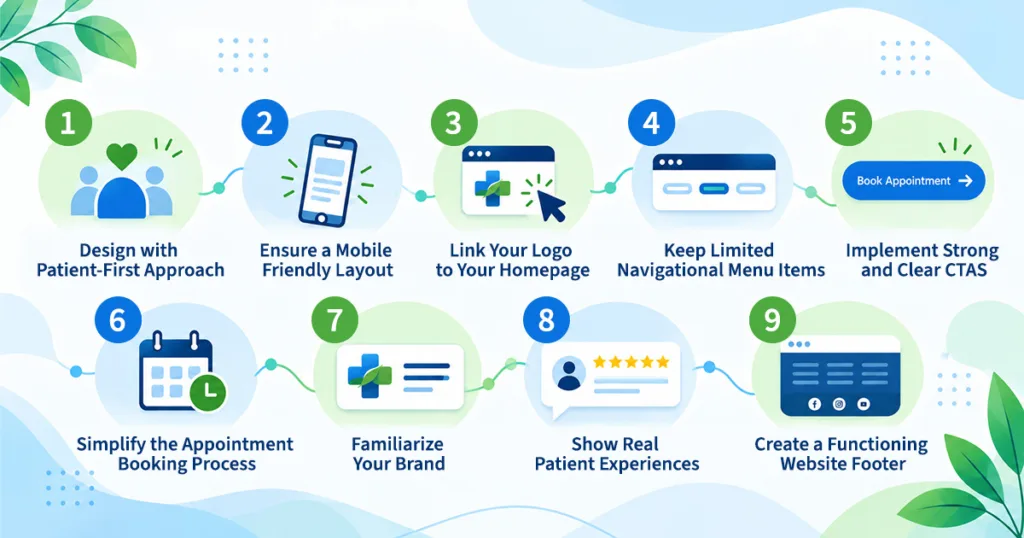
1. Design with Patient-First Approach
The layout of your website should be intuitive and easy to understand. Even a non tech-savvy person should find it easy to navigate. Keep the title and headings simple. Design the website visuals neat and clear. The site should not look chaotic or overwhelm the patient. A medical or healthcare website should look calming, contain precise information and the user should be able to navigate the page with ease.
2. Ensure a Mobile Friendly Layout
In this digital age, mobile phones are the quickest ways to access the internet. Therefore your website design should not only look visually appealing, but flow with ease on every type of electronic device. Your website should seamlessly adapt to different screen sizes, be it mobile phone, tablets, laptops, desktops, computers, etc.
3. Link Your Logo to Your Homepage
For quick navigation, link your hospital or clinic logo to your homepage. Regardless of which page the patient is visiting, by just one click they can return to the main page of your website. It's one of the most simple and effective ways to implement user-friendly navigation, which is easy to overlook.
4. Keep Limited Navigational Menu Items
Your healthcare website menu should only provide essential information, as to not overwhelm the patient. A cluttered menu bar can confuse the patient who is looking for vital information at a crucial time. Having around 5 to 7 items in the primary menu like Home, About Us, Services, Testimonials and Contact Us should be sufficient.
5. Implement Strong and Clear CTAs
Call-to-Actions (CTAs) are phrases or buttons on websites that encourage the visitor to take a certain action. For a medical or healthcare website you can display CTAs like “Book your Appointment" or “Contact Us”. They should ideally be displayed in eye-catching, contrasting colours throughout the website, wherever it fits naturally with the content.
6. Simplify the Appointment Booking Process
Your appointment booking process should be quick, easy and hassle free. It shouldn't be so complicated that it frustrates the patient to an extent that they exit your site. CTA buttons like “Book Your Appointment" can be displayed throughout the website, which lead to a simple appointment booking form or an integrated scheduling system.
7. Familiarize Your Brand
Within the “About Us” or "Teams" page, you can share photos of your doctors and staff. Additionally, you can include written content about their qualifications, work experience, and explain their role. This will help build familiarity, personal connection and trust with your patients, which is essential for any healthcare organization.
8. Show Real Patient Experiences
Trust is an important pillar of healthcare, and your website needs to reflect the same. Ensure to incorporate logos, doctor credentials, staff certifications, patient stories, reviews, testimonials, before-and-after results in your healthcare website. These elements act as social proof to the patient, and signal that the services you provide can be trusted, as they are based on accreditations and stories of other patients.
9. Create a Functioning Website Footer
A footer is an integral part of any well designed and functioning website. It gives quick and easy access to the whole website at a glance. Once the user has scrolled to the bottom of the page, the footer quicklinks can easily transport part to any other page of the healthcare website. Moreover, your website header may not be able to fit all essential information. Hence, the footer is the best place to include additional links like social media handles, address and other details.
Conclusion
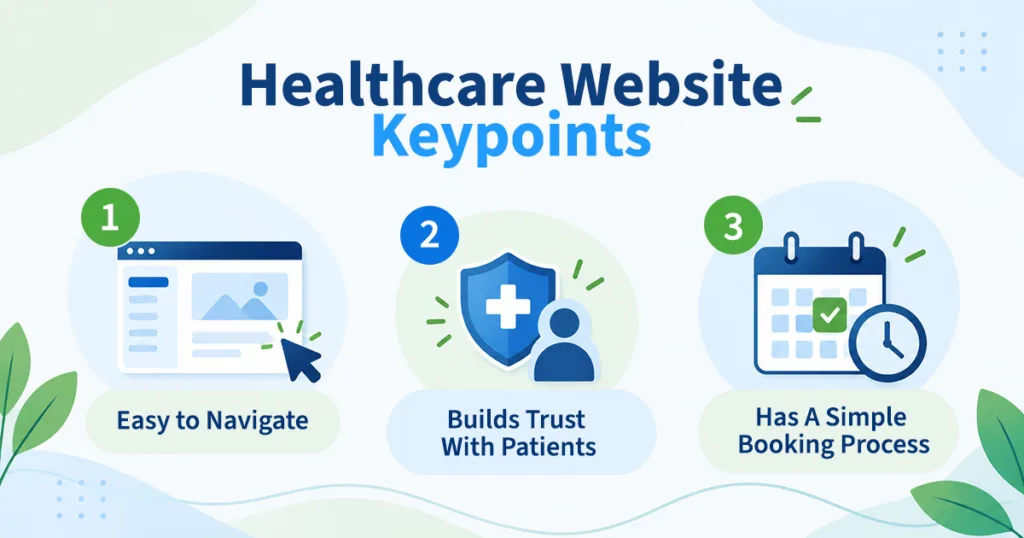
A Healthcare or Medical website is just like any other website, the only difference is that when it's being created you need to keep in mind that your potential patient is the one who is visiting it. They need to navigate the site with ease. All the necessary information like the health services you provide, the doctors qualifications, patient reviews and testimonials, appointment booking form, and even how to reach your hospitable or clinic, should be clearly presented on your healthcare website. Lastly, the appointment booking or contacting process should be simple.
FAQ Section
Q1. How can I create a website for my hospital?
A. You can reach out to a website developer or a digital marketing agency to help you create a healthcare website tailored for your hospital. A professional website developer can custom design a healthcare website as per your choice, keeping in mind patient usability.
Q2. What should you not do while creating a healthcare website?
A. Your healthcare website should not be visually cluttered or distracting. Furthermore, it shouldn’t be complicated for the patient to navigate. Once the patient is visiting your website it should be a hassle free process for them to reach you.
Q3. Why is mobile optimization important for healthcare websites?
A. Most patients search for healthcare services on their phones. A mobile-friendly website ensures a smooth user experience, for patients to browse, read, and book appointments with ease.